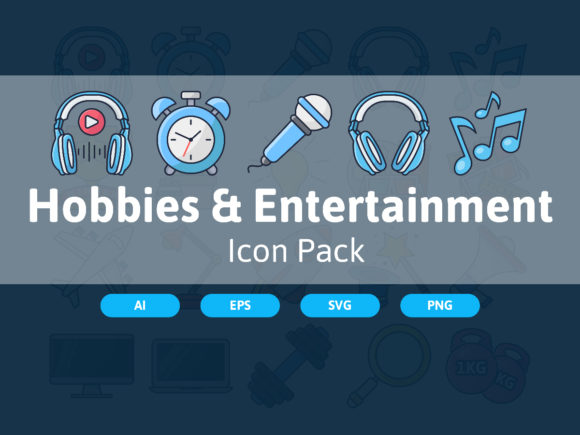
Hobbies Entertainment Icon Pack for Mac & Windows
Streamline Your Visual Projects with a Thoughtfully Crafted Icon Set
Whether you're designing a website, building an app, or creating educational materials, visuals play a critical role in how your audience engages with your content. The Hobbies Entertainment Icon Pack offers a versatile and professionally designed collection of icons that are not only aesthetically pleasing but also highly functional across a wide range of platforms and purposes.
This set includes 20 vector icons sized at 64 x 64 pixels, designed with precision and consistency. Each icon is neatly organized with a clear file and layer structure, making them easy to edit and customize to fit your specific needs. Whether you're using Adobe Illustrator, CorelDRAW, Affinity Designer, or even Inkscape, you'll find these icons compatible and ready to integrate into your workflow.
Why This Icon Pack Stands Out
What makes the Hobbies Entertainment Icon Pack special is the attention to detail and the balance between simplicity and expressiveness. These icons are crafted to be visually consistent across the set, ensuring a cohesive look whether used in a mobile app or a printed brochure.
- Easy to edit – Layered AI and EPS 10 files allow for quick color changes and design tweaks.
- Multiformat support – Includes SVG, PNG with transparent backgrounds, and compatibility with both Mac and Windows environments.
- Clean, scalable vector graphics – Maintain quality at any size without loss of resolution.
The icons are ideal for representing a wide range of hobbies and entertainment-related content—from music and art to sports and digital creation. Their universal appeal makes them a smart choice for both personal and commercial use.
Real-World Applications Across Industries
Let’s explore how this icon set can be applied in practical, real-world scenarios:
For Digital Creators and Marketers
Content creators, bloggers, and marketers can use these icons to enhance infographics, social media posts, and landing pages. Icons help break up text-heavy content, guide the viewer’s eye, and communicate ideas more effectively. For example, using a music icon in a post about podcasting tools instantly signals the topic without needing extra explanation.
In Educational and Training Materials
Educators and instructional designers can incorporate these icons into presentations, handouts, and online courses. Visual cues improve comprehension and retention. A hobby-related icon can help categorize activities in a curriculum or illustrate a concept in a more engaging way.
App and Web Development
Developers building hobby-related apps or platforms will appreciate the clarity and consistency of these icons. Whether used in navigation menus, feature highlights, or user profiles, they contribute to a polished, intuitive interface. The transparent PNG format ensures seamless integration into any UI theme.
Print and Merchandise Design
These icons aren’t limited to digital use. Their high-quality vector format makes them perfect for print materials like flyers, brochures, and even branded merchandise. Imagine using a stylized camera icon on a photography workshop flyer or a gaming icon on event T-shirts—these visuals instantly communicate the theme.
Customization and Flexibility
One of the most valuable features of the Hobbies Entertainment Icon Pack is its adaptability. With layered AI and EPS files, users can easily adjust colors, outlines, and details to match brand colors or project themes. This flexibility makes the set ideal for freelancers and agencies that need to tailor visuals to client preferences without starting from scratch.
For instance, a digital marketing agency might use the icons in a campaign for a new hobbyist app, tweaking the color scheme to align with the app’s branding. Meanwhile, a small business owner could use the same set to design a printed menu for a creative workshop space, changing the icon outlines to match their logo style.
Practical Considerations When Using These Icons
While the icons are designed for ease of use, there are a few things to keep in mind when incorporating them into your projects:
- Consistency matters – Stick to one icon style within a project to maintain visual harmony.
- Test for clarity – Make sure icons are recognizable at smaller sizes, especially for mobile interfaces.
- Optimize for performance – When using SVGs on websites, compress files to ensure fast loading times.
- Check licensing – Always confirm that the icons are cleared for commercial use if you're distributing them in a product or service.
Final Thoughts
The Hobbies Entertainment Icon Pack is more than just a set of graphics—it's a tool that enhances communication, improves user experience, and saves time in design workflows. Whether you're a professional designer, a teacher, a small business owner, or a hobbyist creating your own blog or portfolio, this icon set offers a practical and polished solution that adapts to your needs.
With its clean structure, compatibility across platforms, and ease of customization, it’s a resource that delivers real value. Investing in a well-designed icon set like this can elevate your visual content and ensure your projects look professional and cohesive—no matter the medium.