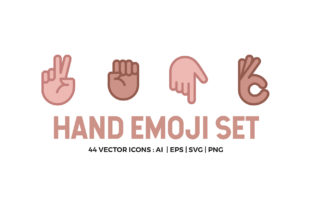
Hand Gestures Icon Pack: Clean, Versatile Icons for Modern Design
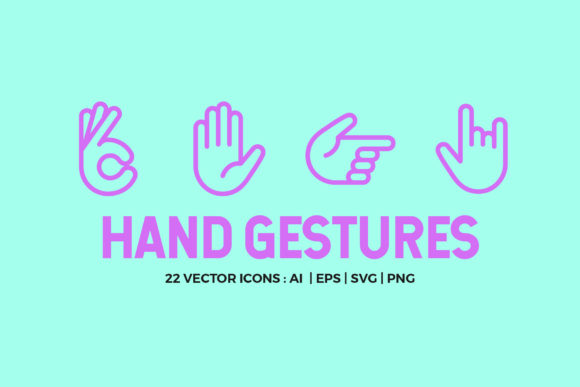
Icons play a crucial role in modern design, offering visual cues that enhance user experience and communication. The Hand Gestures Icon Pack delivers a clean, minimal set of 22 icons designed with precision and flexibility in mind. Each icon is built on a 48px Android grid with a 2px stroke, ensuring crisp clarity across digital and print formats. Whether you're designing a mobile app, a website, or packaging materials, this pack provides a consistent visual language that's easy to integrate and scale.
What sets this pack apart is its attention to detail and adaptability. The icons come in multiple formats—AI, EPS, SVG, and PNG—allowing for seamless use in Adobe Illustrator, web development, and high-resolution print. With sizes ranging from 48px to 268px, you can confidently use these icons across platforms without sacrificing quality. The Live Stroke and Outlined versions give you full control over customization, letting you tweak colors, scale, and line weights to match your design needs.
Designed for Real-World Use
The Hand Gestures Icon Pack works well in a wide range of creative and commercial applications. Its minimal aesthetic makes it especially effective in user interface (UI) and user experience (UX) design, where clarity and simplicity are key. These icons can be used to enhance mobile apps, websites, and chat interfaces—especially where emoji-like visuals are needed to convey actions or emotions quickly.
For branding and editorial design, the clean, modern lines of the icons offer a subtle yet professional touch. Whether you're creating infographics, social media graphics, or packaging labels, these icons integrate smoothly without overpowering the layout. Designers working on logo concepts or brand identity systems can also find value in using these icons as supporting elements that reinforce a brand's visual tone.
Why Visual Consistency Matters
In digital and print design, consistency is more than just a nice-to-have—it's essential. The Hand Gestures Icon Pack ensures uniformity across all 22 icons, maintaining the same stroke width, corner radius, and overall style. This cohesiveness helps create a polished, professional look, especially when used alongside other design assets like fonts, colors, and layout elements.
Visual consistency also plays a role in user recognition. When icons are uniform in style, users can quickly interpret their meaning, improving navigation and interaction. This is especially important in app design, where intuitive iconography can significantly impact user engagement and satisfaction. Whether you're designing for iOS, Android, or the web, this icon set supports a seamless visual experience.
Choosing the Right Format for Your Project
This icon pack comes with multiple file types to suit different project needs. Vector formats like AI, EPS, and SVG are ideal for digital design and print work because they scale without losing quality. SVG files are especially useful for web design, as they load quickly and render crisply on any screen size. If you're working in Adobe Illustrator, the editable AI files let you tweak colors, stroke weights, and shapes to fit your brand guidelines.
For designers who need pixel-perfect control, the PNG versions at 48px, 128px, and 268px offer ready-to-use options for websites, apps, and presentations. These sizes align with common UI design standards, making them practical for both prototyping and final implementation. If you're building a mobile app or website, using the 48px icons ensures compatibility with standard touch targets and layout grids.
Practical Tips for Using Hand Gestures Icons
When incorporating icons into your design, it's important to consider how they interact with other visual elements. Here are a few tips to help you get the most out of the Hand Gestures Icon Pack:
- Pair with clean fonts: These icons work best with modern sans-serif fonts like Montserrat, Open Sans, or Lato. Avoid overly decorative typefaces that might clash with the minimal style.
- Use consistent spacing: Align icons with text and other UI elements using a grid system to maintain visual harmony.
- Test for readability: Ensure icons remain recognizable at different sizes, especially on smaller screens or printed materials.
- Maintain brand alignment: Choose icon colors that reflect your brand palette. The vector files make it easy to adjust hues without compromising quality.
Whether you're designing a mobile app or a packaging label, these icons provide a flexible foundation that supports both function and aesthetics. Their minimalist style ensures they don't distract from your content but instead enhance the overall design with a subtle, modern touch.
Final Thoughts
The Hand Gestures Icon Pack is more than just a set of icons—it's a versatile design tool that supports a wide range of creative and commercial projects. From UX design to branding and packaging, these icons offer clarity, consistency, and scalability. Their clean, modern aesthetic makes them suitable for both digital and print use, while the variety of file formats ensures compatibility with different design workflows.
For designers, entrepreneurs, and content creators, having a reliable set of icons can make a big difference in how your audience perceives and interacts with your work. The Hand Gestures Icon Pack delivers a polished, professional solution that's easy to customize and integrate. Whether you're building a website, designing an app, or creating marketing materials, this icon set gives you the visual clarity and flexibility you need to bring your ideas to life.